Your data
No account. Your bar stays on your phone.
No account is needed. Your bar inventory and recipes stay on your device, and menu scanning runs on the device - photos are never uploaded. Read the privacy policy.
 Cocktologist
For iPhone and Android
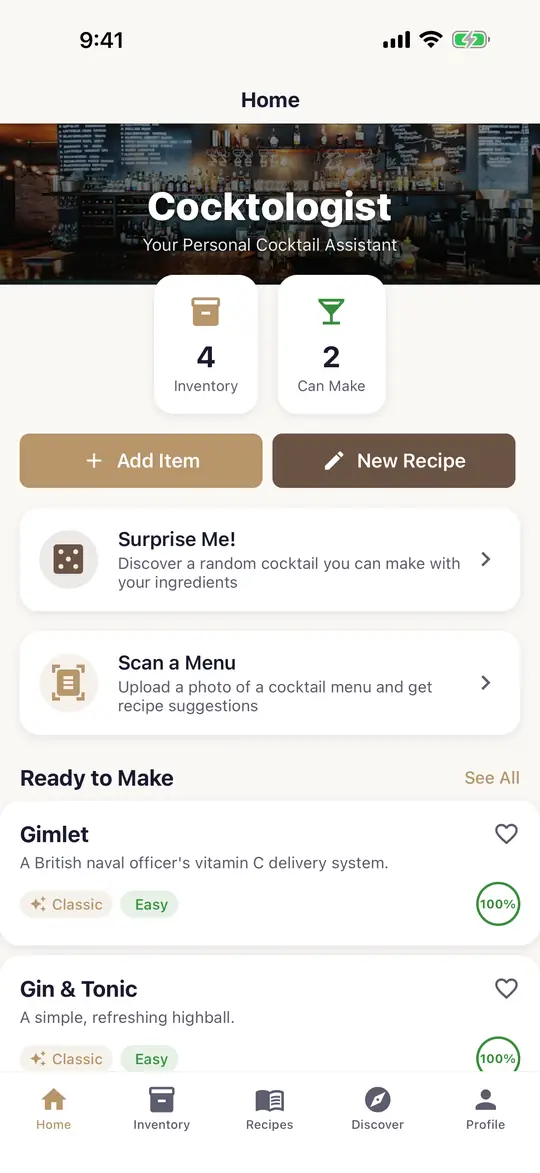
Tell Cocktologist which bottles you own. It shows which of its 1,100+ recipes you can pour right now, then talks you through the one you pick, one step at a time.

Free for 7 days, then one purchase unlocks it for good. No subscription, no ads.
How it works
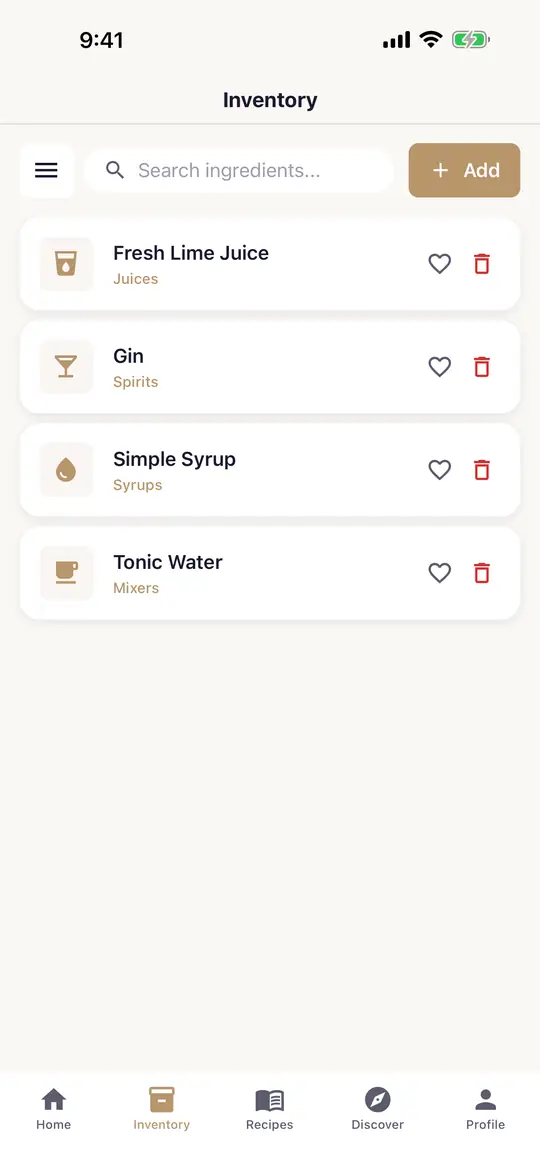
Add what you have from a catalog of spirits, liqueurs, mixers, bitters and garnishes. Search or browse by type.
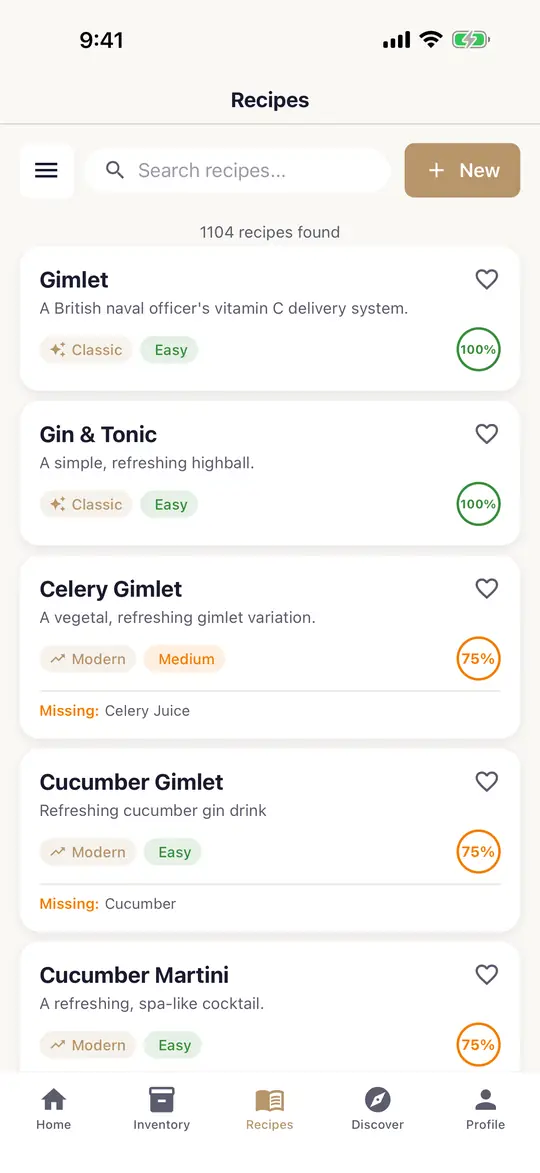
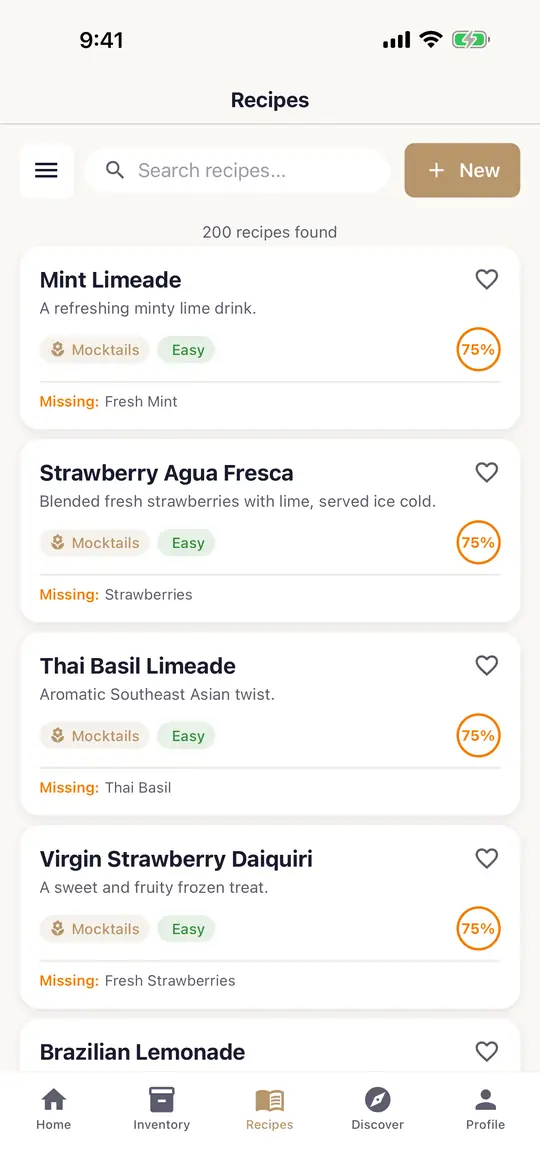
Every recipe is ranked by how close you are to it. Drinks you can make now come first; the rest show exactly which ingredient is missing.
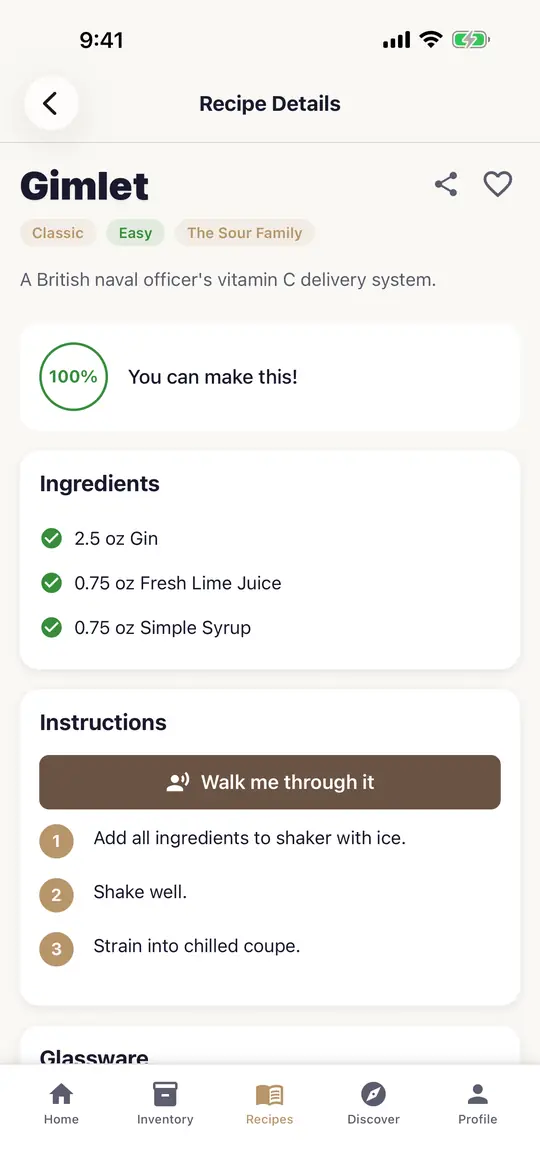
Open a recipe for measures, glassware and garnish, or start a walkthrough that reads each step aloud and moves on when you say “next”.
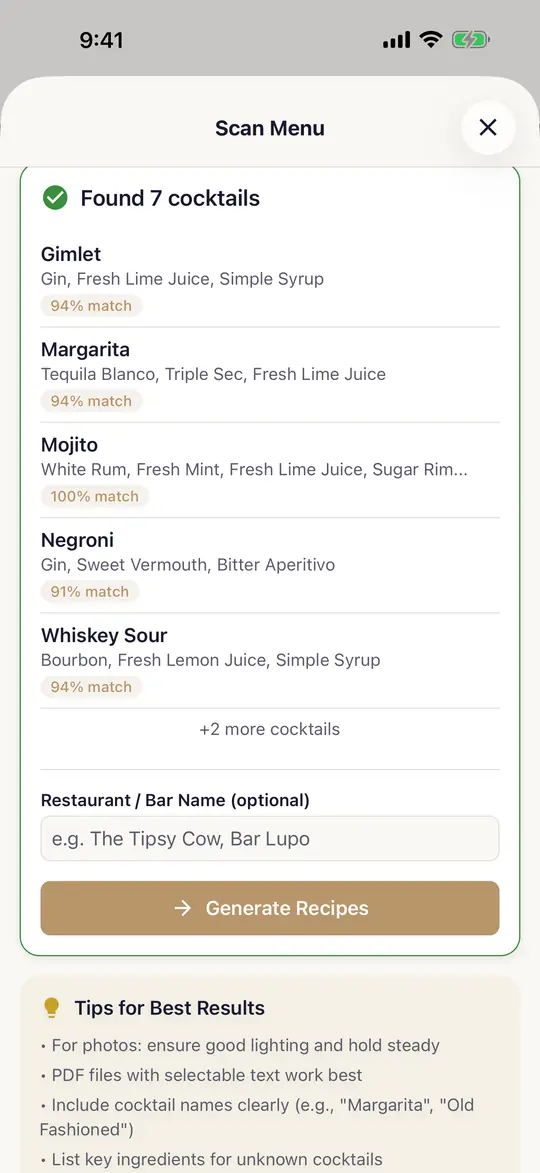
Menu scanner
Photograph a cocktail menu, or paste its text. Cocktologist picks out each drink and its ingredients, matches it to its recipes and shows how close your shelf is to making it. The scan runs on your phone; the photo is never uploaded.
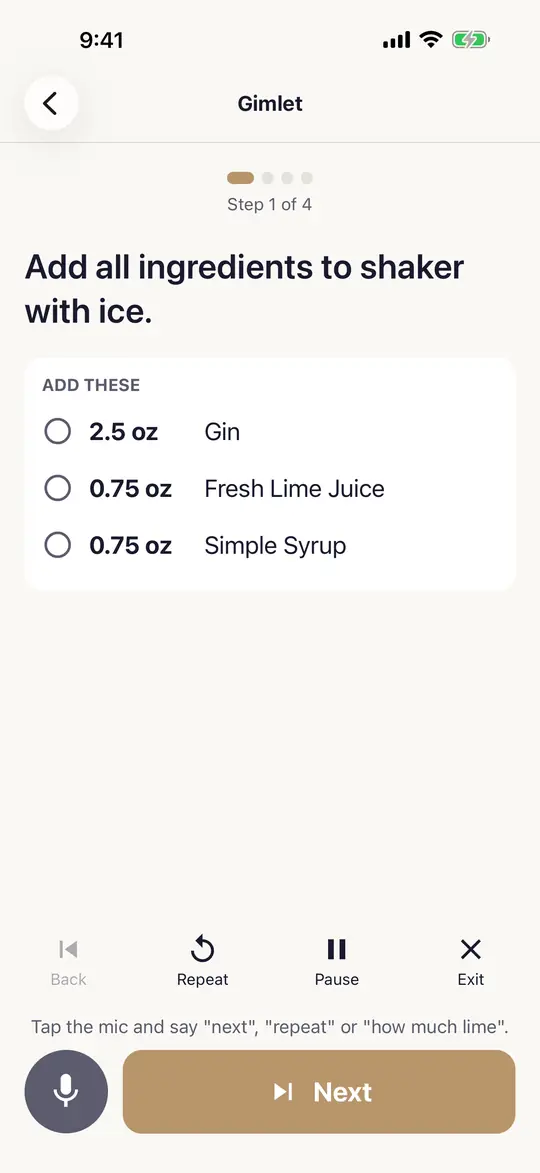
Voice walkthroughs
A walkthrough reads each step aloud with the exact measures. Say “next”, “repeat” or “how much lime” without touching the screen, or use the large on-screen buttons. Speech is recognized on your phone and never uploaded.
Shop smarter
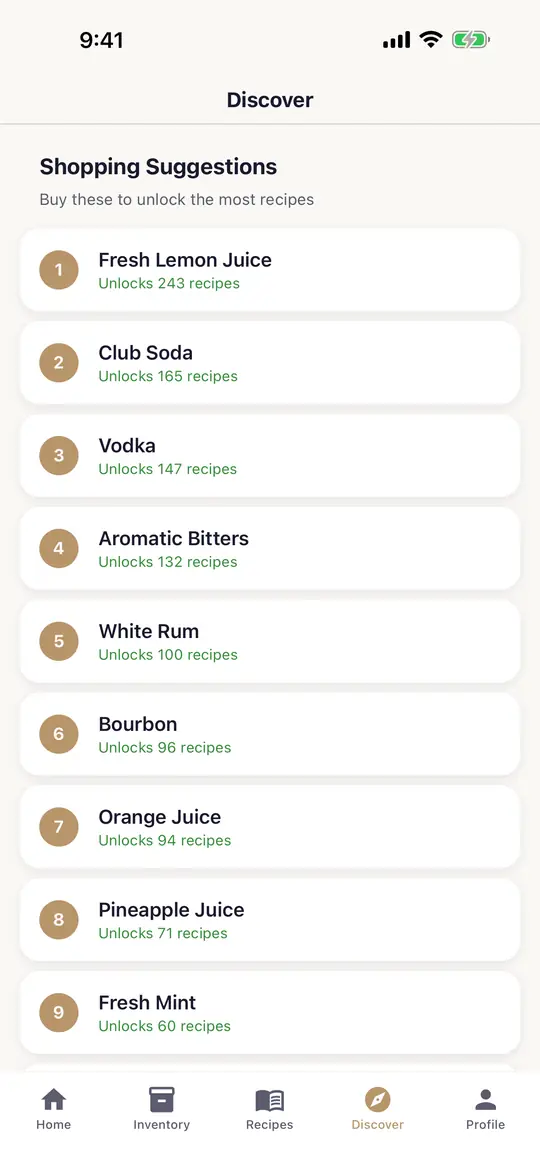
Discover ranks single ingredients by how many new recipes each would open up for your bar, so the next trip to the store counts.
The whole library
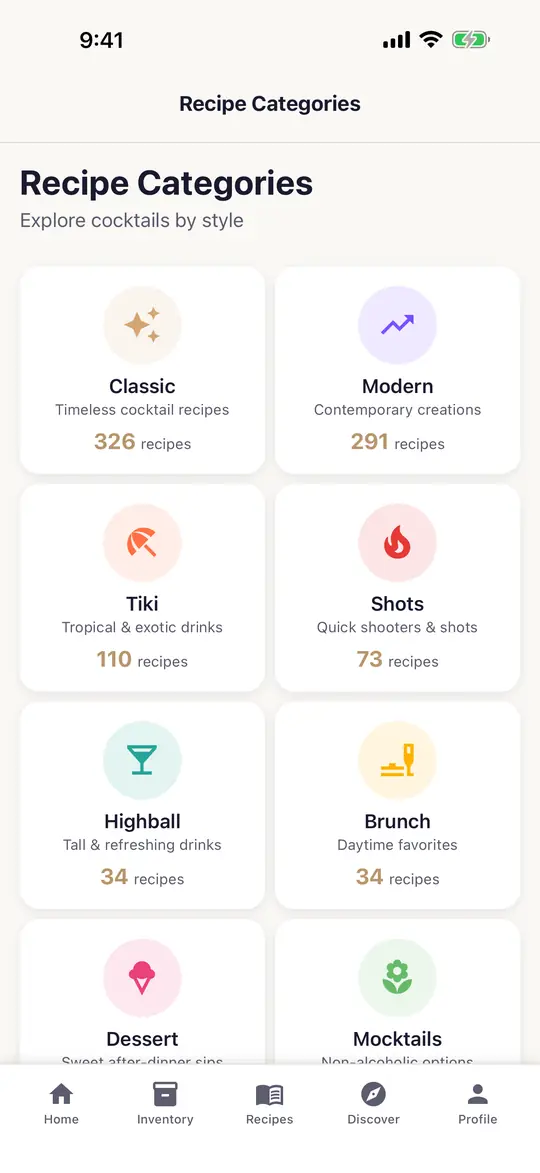
Browse by style: classic, modern, tiki, shots, highballs, brunch, dessert and mocktails. Each recipe has a short description, measures in your preferred units, glassware and garnish.
Your notes
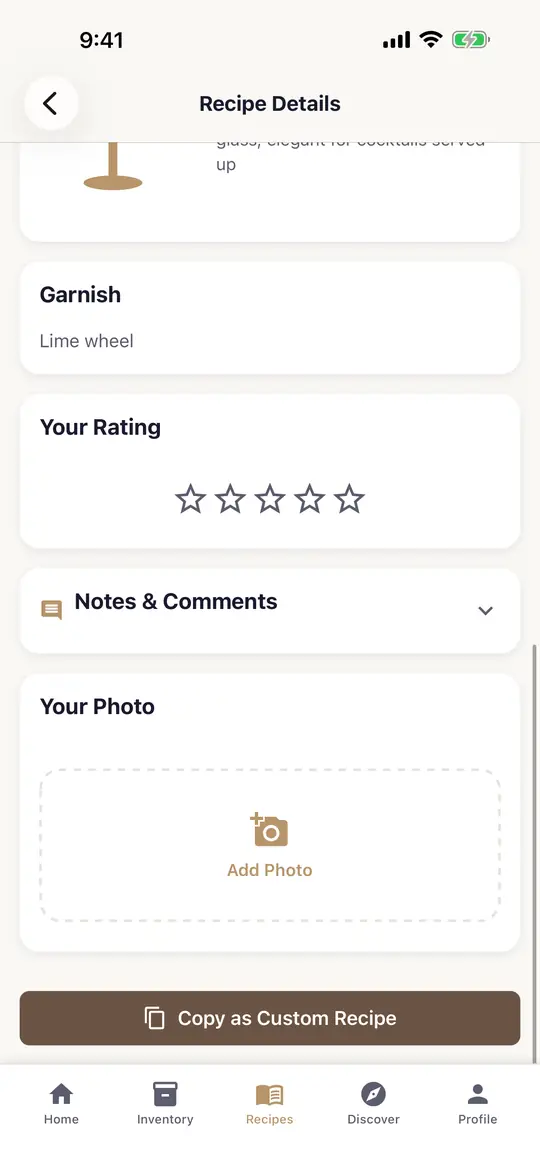
Rate drinks, keep tasting notes, add your own photo, or copy a recipe and make it yours. Share a favorite with friends from your phone's share sheet.
Alcohol-free
Turn on Hide alcoholic drinks and Cocktologist hides alcoholic recipes, ingredients and bottles, leaving mocktails and other alcohol-free drinks with the same matching, walkthroughs and notes.
Your data
No account is needed. Your bar inventory and recipes stay on your device, and menu scanning runs on the device - photos are never uploaded. Read the privacy policy.
Price
Use the full app free for 7 days. After that, a single in-app purchase unlocks Premium permanently on your Apple or Google account. Nothing renews and nothing is charged automatically. There are no ads.
Questions
You can use the full app free for 7 days. After that, Premium is a one-time in-app purchase through the App Store or Google Play. It is not a subscription, nothing renews, and there are no ads.
No. There is no sign-up. Your bar inventory, recipes and notes are kept on your phone.
Take a photo of a cocktail menu or paste its text. The app reads it on your phone, picks out each drink and its ingredients, and matches them to its recipes. Photos are not uploaded.
Yes. Mocktails are a recipe category, and the Hide alcoholic drinks setting hides alcoholic recipes, ingredients and bottles.
Yes. Create a recipe from scratch, or copy any recipe in the library and change it.
English, Spanish, French, German, Italian, Portuguese, Japanese and Chinese.
iPhone, from the App Store, and Android phones, from Google Play.
Cocktologist is meant for adults of legal drinking age. Its mocktail features are for everyone. Please drink responsibly.